
ROTATIONTRACKER
Xbox Game Bar Widget for Arknights: Endfield
Visual rotation step tracking, not a macro, not automation
About this tool
Rotation Tracker by SinonCute is a visual rotation widget that lives inside Windows' Xbox Game Bar (Win+G). You define a rotation as an ordered list of skills, and the widget shows your current step while you play, manually advancing as you press your own keys. It does not read game memory, inject code, or automate any inputs. The widget is purely a visual cue to help you stay on-rhythm during long fights or complex skill rotations.
Use this when you are learning a new operator's optimal rotation, or when you need to track a multi-character skill cycle (sub-DPS into ult into main DPS basics) without dropping a step. Rotation profiles are saved per-rotation, and you can import or export them as text to share with your team. Setup requires an elevated installer because Xbox Game Bar overlays Arknights: Endfield, which runs at elevated privilege.
What is Rotation Tracker?
Rotation Tracker is a rotation helper widget for Xbox Game Bar on Windows, designed for Arknights: Endfield. It provides a visual tool to help you understand and track your own rotation inside Xbox Game Bar.
What It Does NOT Do:
- • Not a macro or auto-play tool
- • Does not interact with or modify the game in any way
- • Does not read memory, inject code, or automate gameplay
What It Does:
- • Shows your current rotation step visually
- • Create, edit, import, and share rotation profiles
- • Works as an Xbox Game Bar widget (Win + G)
Screenshots

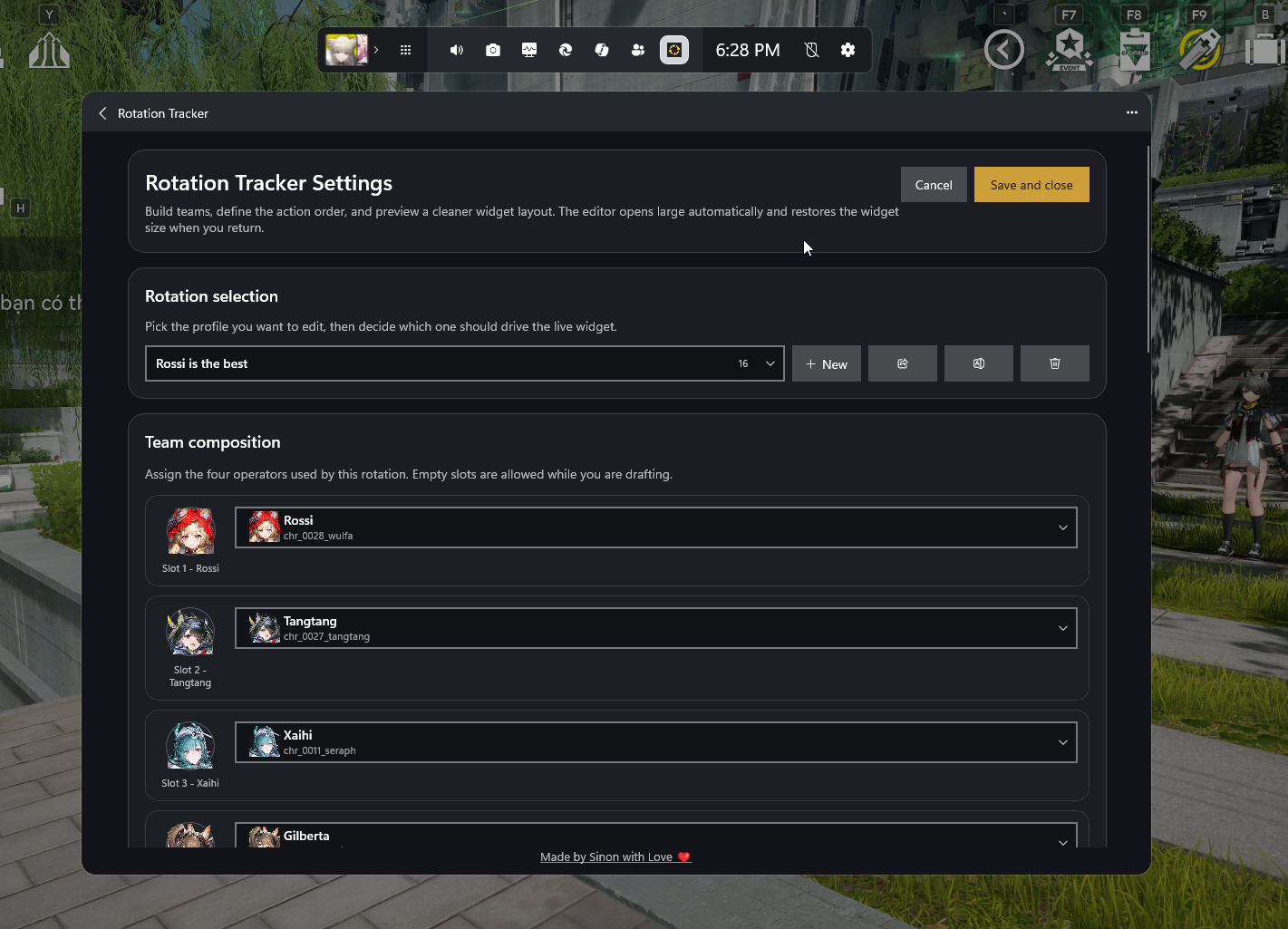
Features
📋 Rotation Profiles
Create custom rotation step lists, edit them, and save profiles for different operators or team compositions.
🔄 Step Tracking
Track your current position in a rotation. Advance through steps as you play to stay on schedule.
📥 Import & Share
Import rotation profiles shared by the community and share your own builds with others.
🛡️ Admin Helper
An elevated helper runs at the same privilege level as Arknights: Endfield to correctly listen to keyboard and mouse input.
Installation
1. Download
Download the latest release fromGitHub. Under Assets, get the installer zip (e.g. RotationTracker-v0.3-beta-installer.zip).
2. Extract & Install
Extract everything into one folder, then run install.bat as administrator.
3. Open Xbox Game Bar
Press Win + G to open Xbox Game Bar, then add Rotation Tracker.
upgrade.bat as administrator. Your saved rotations are kept automatically.uninstall.bat as administrator. Your rotation backup at %LOCALAPPDATA%\RotationTracker\rotation-settings.json is preserved.External tool by SinonCute •GitHub Repository •Discord Support
Licensed under GPL-2.0-only. This is a fan-made tool. Not affiliated with Hypergryph or Yostar.
Related Tools
Frequently Asked Questions
Is Rotation Tracker safe to use? Will it get my account banned?
Rotation Tracker is purely a visual widget. It does not read the game's memory, inject code, or send any input to the game. It only listens to your own keyboard and mouse input to advance through a rotation list you defined, exactly like a fitness tracker that times your reps. Hypergryph's TOS prohibits memory injection and automation; visual widgets that you manually advance are not in that category. That said, no third-party tool is officially endorsed, so use at your own risk if your account is high-value.
Why does the installer need administrator privileges?
Arknights: Endfield runs at elevated privilege on Windows (because of its anti-cheat layer). Standard-privilege programs cannot reliably read keyboard input while the game is in focus, the OS blocks lower-privilege input listeners from elevated processes for security. Rotation Tracker installs a small elevated helper service that matches the game's privilege level, so it can detect your key presses while you play. The main UI itself runs in the Xbox Game Bar overlay, which already operates at the required level.
How is this different from a macro or auto-play tool?
A macro automates inputs. It presses keys for you. Rotation Tracker does the opposite: you press the keys yourself, and the widget visually advances to show your next planned skill so you can stay on rhythm during long fights. Think of it as the muscle-memory training wheels for a complex rotation. The widget cannot click skills, queue actions, or interact with the game state. If the widget stops advancing, the game is unaffected. You just lose the visual hint.
Can I share rotation profiles with the community?
Yes. Each rotation profile exports as a small JSON or text blob that you can paste into Discord, Reddit, or a Pastebin link. Other players import the same blob via the widget's Import button and the rotation appears in their profile list. The community has built shared rotation libraries for common operators on the project's Discord. There is no central directory inside the widget itself, sharing is done out-of-band through whatever community channels you prefer.
What if I want to uninstall it? Will my profiles be lost?
Running uninstall.bat as administrator removes the elevated helper service and the widget binaries. Your rotation profiles are preserved at %LOCALAPPDATA%\RotationTracker\rotation-settings.json. This file is intentionally left behind so reinstalling later restores all your rotations automatically. If you want a fully clean uninstall, delete that JSON file manually after running uninstall.bat. The widget makes no other registry changes and does not modify the game's files.

Tap through for today's price on the official store. Affiliate link, we may earn a commission.